Private desktop companion for Windows

Your PC has a
presence.

Talk by voice or text, pick up a conversation from yesterday, or let Manas hang out on your desktop while you work. Your history lives on your PC, and you choose the AI provider.

Local historyYour choice of AI
Interactive preview
Manas's expressive glass visorA minimalist obsidian visor with light-filament brows, eyes, and mouth.
Resting

Voice samples use Chatterbox TTS.

Manas on your desktop

A companion who can step out of the window.

Meet Ambient Manas.

Drag him to a corner while you work. Hover to type a message, turn on the mic, or return to the full app. Quick chat picks up right where your conversation left off.

His body moves with the same expression you see in chat. He lifts a book when he’s checking something, and when he dozes off, one of his mittens rises to his mouth.

See the rest of the app
Ambient Manas with his compact chat window open
Ambient Manas reading an open book held in his mittens Ambient Manas asleep with one mitten resting at his mouth
Captured in the Windows development build with sample conversations.

Inside Manas

Take a closer look at the Windows workspace, the new startup reveal, and the Android companion.

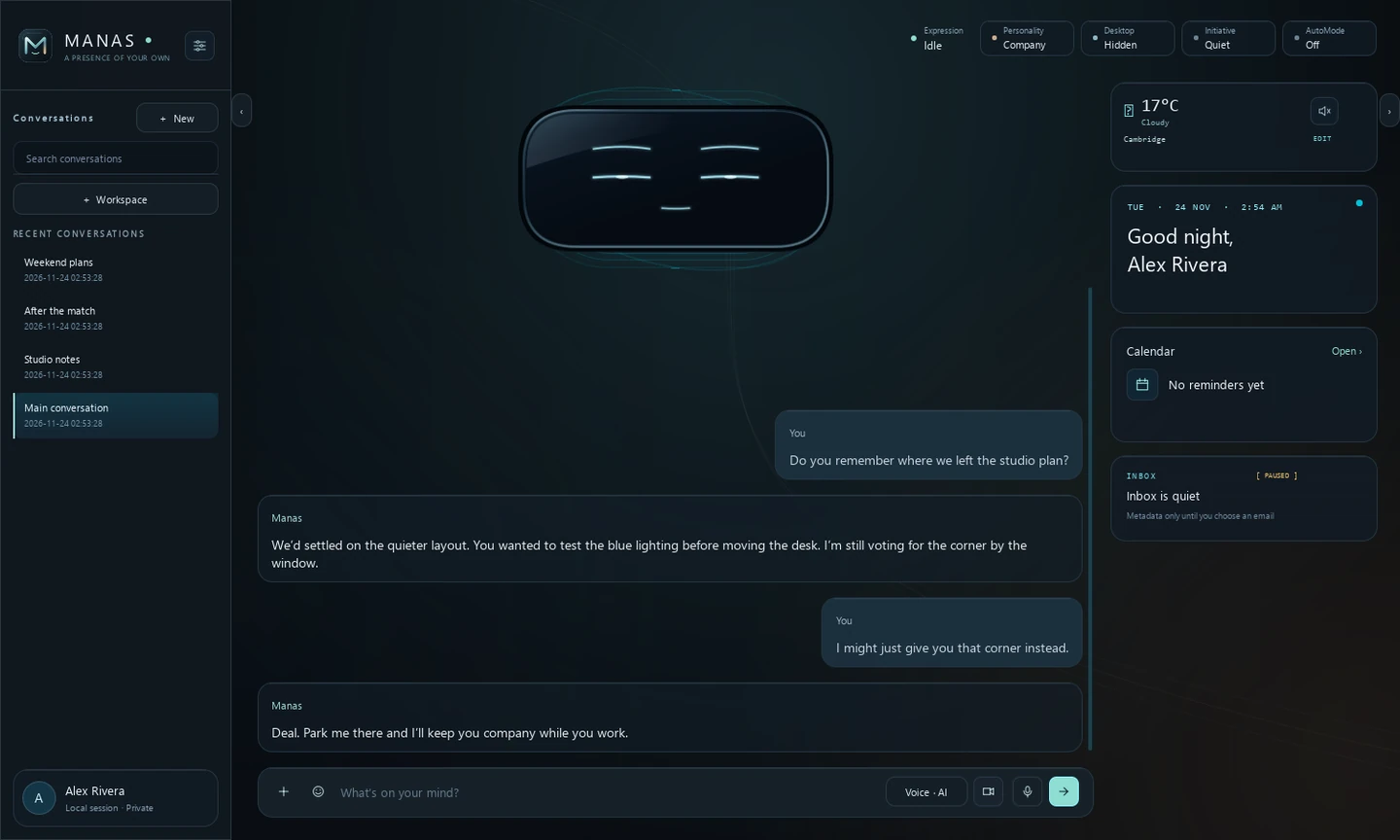
Chat with room to think.

Revisit older messages, open image previews, or fold the sidebars away. The live expression, voice, and conversation follow you between the workspace and Ambient mode.

The workspace keeps memory, Health, desktop activity, and games close at hand.

Manas Windows chat workspace with the visor, conversation list, and calendar sidebar
Windows workspace · sample data

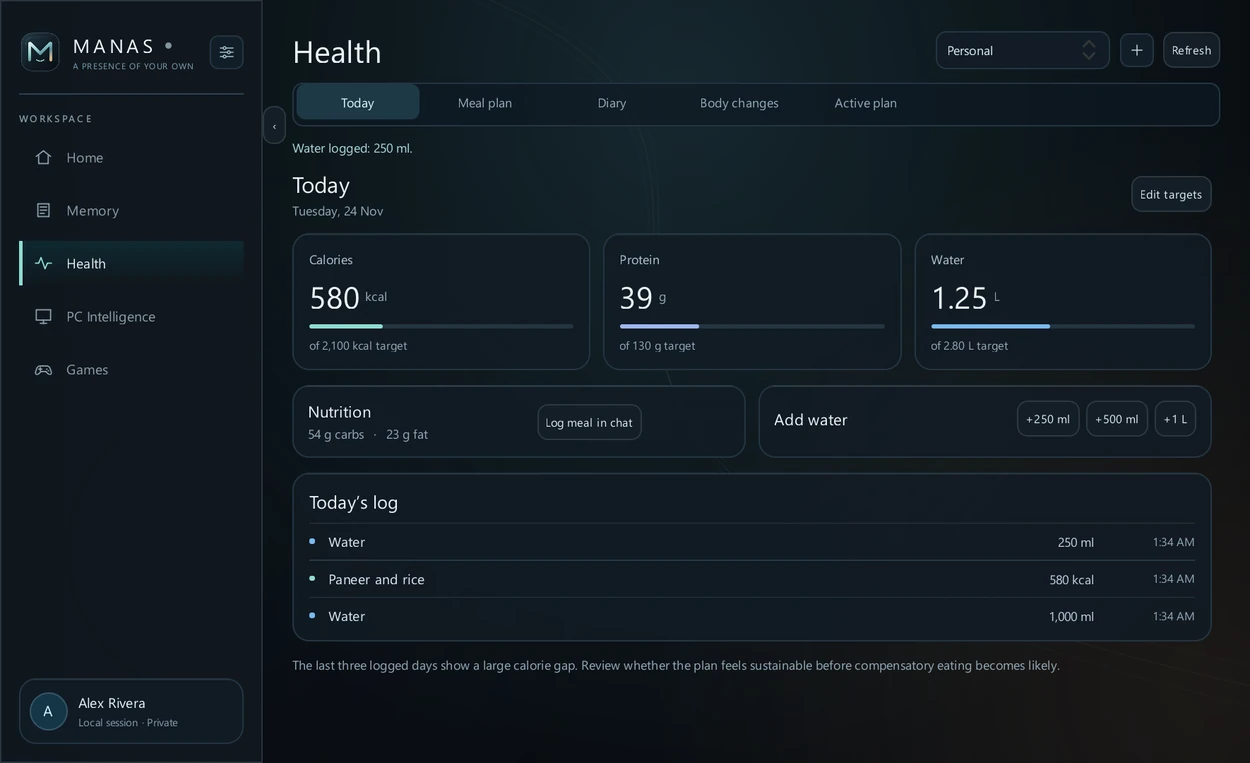
Your log, at a glance.

Tell Manas what you ate or drank, then check your entries and daily targets in the Health tab. Today brings calories, protein, water, and quick hydration controls into one view.

Meal planning, the diary, and body changes each have their own space.

Health dashboard with daily targets, hydration shortcuts, and recent food and water entries
Health dashboard · sample entries

Take Manas with you.

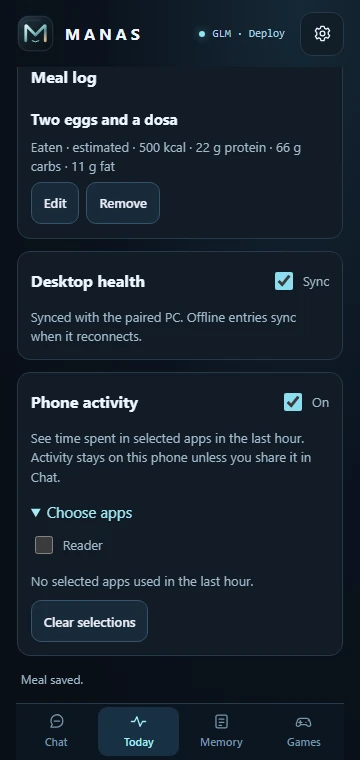
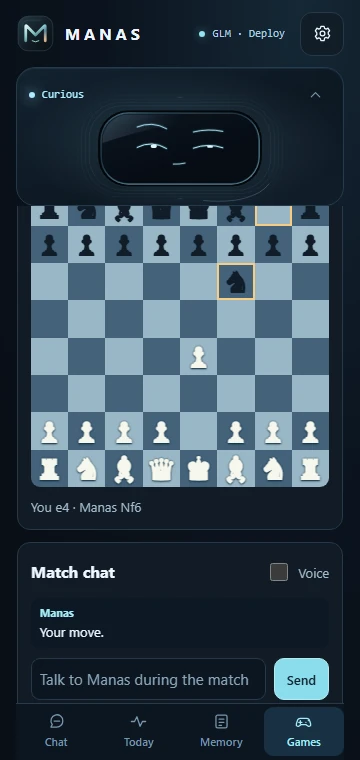
The Android test build brings the visor, voice and photo chat, meals and water, and games to your phone. A downloadable Tamil voice runs on the phone after installation.

Optional Wi-Fi pairing syncs selected memories, match history, and health logs with your PC. With its own API key, phone chat can work while the PC is off.

Manas Android Today screen for logging meals and waterChess and match chat in the Manas Android test build
Android test build · Today and Games

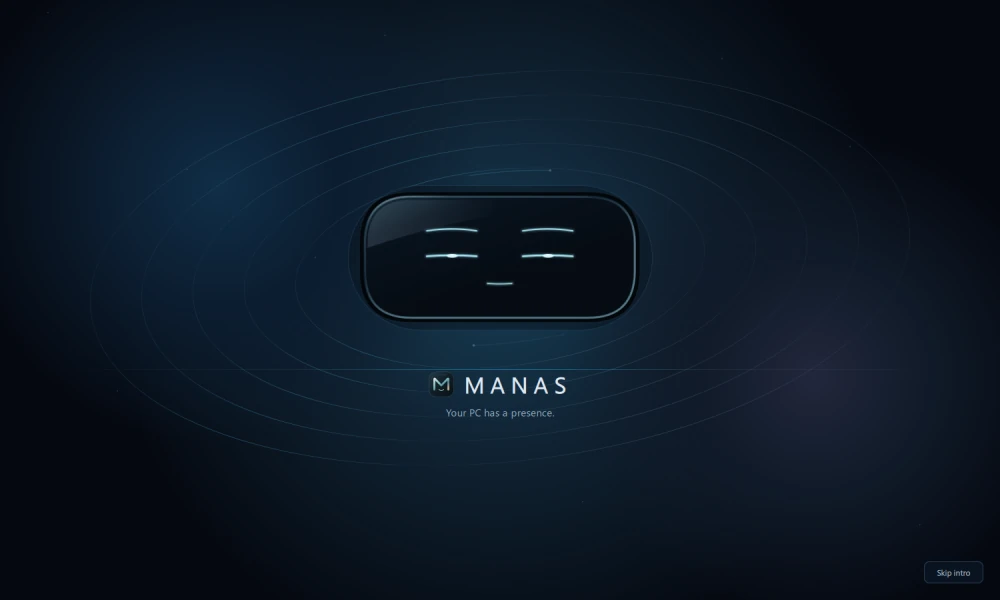
A quieter entrance.

A blue light sweeps over the visor. Manas opens his eyes and the wordmark appears before the intro fades into chat.

The sequence lasts under three seconds. Choose Skip intro or press Esc to go straight to the app.

The Manas startup scene with a blue-lit visor and the Manas wordmark
Windows startup reveal
Share screen

Show him the window you’re talking about.

On Windows, choose Share screen in the chat attachment menu, then pick an open window. Review the screenshot in chat, then send it when you’re ready.

See how Manas responds.

Try continuity across chats, a quick calendar check, or a desktop action with approval.

ManasDesktop walkthrough
You

Where did we leave that idea yesterday?

Manas

We had the rough sketch. You wanted to try the quieter layout before we settled on it.

Recall from Studio notes

Walkthroughs use fictional conversations and sample activity.

Local-first architecture

See what stays on your PC.

Manas stores its history and settings locally. An online reply sends the message and the context for that request to your selected provider.

Follow a model request

Conversation history and settings are stored on your PC. A reply can include selected context from that history.

Read the privacy notice ↗
This device
Conversation history
Preferences and routines
Local activity signals
Chosen AI provider
Message and prompt
Selected context
Included attachments
Local storage on your PC

Explore Manas’s features

Desktop awareness

Manas can use foreground app and window signals when PC awareness is enabled. Step through a simulated feed below.

Sample activity01 / 04
⌘
Code EditorLocal project · open file

Context that carries

See how a topic, preference, or routine can inform a later reply.

A conversation topic is saved in its local thread.

Camera conversations

Start a video call in the desktop app and Manas can use selected still frames as context. The preview below simulates the camera view.

Frame preview on

Hear the small details

The sound of a turned page, or the moment Manas trades his shades for headphones.

Play a match with Manas

Choose a chess difficulty or play Four in a Row. Trade banter in a dedicated match chat as the board changes. The match has its own history, and Manas can bring it up later in conversation.

See the Android game view

Choose his voice and AI

Use desktop voices such as Kokoro or Chatterbox Nano, or choose Gemini TTS for cloud speech. Choose the AI provider separately and use your own API key for online replies.

See how provider billing works
Planned license

One purchase. Your AI key.

Visit the store

Manas for Windows

The plan is a one-time desktop license. Final price and terms will be announced before checkout opens.

Your chosen AI provider

Use your own supported API key. Your provider bills your usage under its pricing and terms.

Frequently asked questions

What can the website preview access?

The preview uses fictional conversations, bundled screenshots, and audio samples. It works without screen sharing, camera access, a microphone, or an API key.

Does Share screen stream my desktop?

Share screen captures one still image of the window you choose. It appears as an attachment you can review before sending.

What does local-first mean in the app?

Manas keeps history and settings on your PC. Prompts and selected context go to the provider you choose for an online reply. See the data notice.

Can I change how Manas sounds?

The desktop app supports local voices and Gemini TTS. Local voices synthesize on your PC. Choosing a cloud voice sends the reply text to its TTS provider.

Can I buy Manas now?

The Windows app is in testing. See the store for the planned license and pricing updates.